
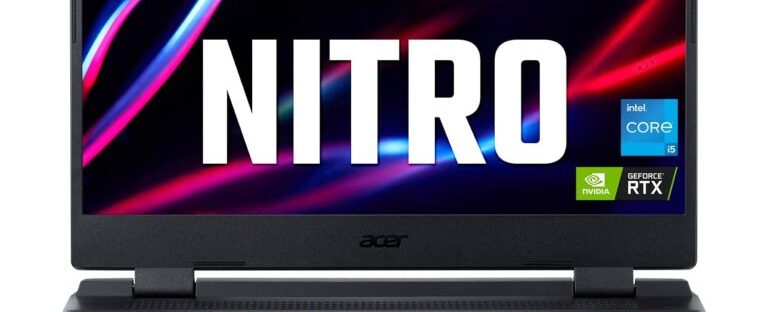

The Acer Nitro 5 AN515-58-527S is a solid if not great gaming laptop for those on a budget or folks who’re just getting into PC gaming. While its affordability and refreshed design are commendable, we just wish its screen was bright and battery life longer like its 12th-Gen competitors.
PROS
- Large 15.6-inch 144hz display
- Good mid-range performance
- Design isn’t garish
- Chassis stay cool
CONS
- Heavy and bulky
- No OLED display option
- Mediocre battery life

The most recent Acer Nitro 5 AN515-58-527S is a gaming laptop with average power that won’t break the budget. It has a 15.6-inch screen that is bright and perfect for gaming and watching all of your favourite material when it first arrives. Then, it includes a 12th-generation Intel Core i5 CPU and 16GB of RAM, which will help fluid games and enable fluid execution of routine computer chores. There won’t be anything to complain about if you don’t mind playing at low to medium settings.
The model for this year is simpler than in years past, concentrating less on the distinctive red and black style for a more understated look that works well almost anywhere. Not just Acer, but many gaming computers in recent years have adopted a somewhat simpler look, and we like the shift.
We simply wish the Acer Nitro 5 were a little bit thinner and had a longer-lasting battery. Despite its flaws, the Nitro 5 (2022) isn’t a horrible option for anyone on a budget who want a reliable, albeit unimpressive, device to play contemporary games on. Is this the ideal laptop for gaming for you? Find out by reading on.

About The Acer Nitro 5
The base edition of the Acer Nitro 5 (2022) comes with an 11th-generation Intel Core i5 CPU, an Nvidia GTX 1650 graphics card, 8GB RAM, and 256GB SSD storage. Other combinations are also available. The highest model has a 2560 x 1440 monitor, an Nvidia RTX 3070 Ti graphics card, a 12th-generation Intel Core i5 CPU, 32GB of RAM, and 2TB of SSD storage. In the centre is our test model, the Nitro 5 AN515-58-527S. The following are its specifications:
- Processor: Intel Core i5-12500H
- Graphics: Nvidia RTX 3060
- RAM: 16GB DDR4 SDRAM
- Storage: 512GB
- Display: 1920 x 1080p @ 144Hz display
- Ports: 1 x HDMI; 1 x USB-C; 4 x USB-A; 1 x Ethernet; 1 x Headphone jack
- Wireless connectivity: Wi-Fi 6, Bluetooth 5.2
- Webcam: 720p
- Battery: 230 W battery charger
- Weight: 5.51 pounds
- Size: 14.2 x 10.7 x 1.1 inches
What We Like

The new, refreshed design looks cool
We’re just glad to see this new all-black design replace the original black-and-red Nitro 5’s aesthetics, which for some reason was starting to feel stereotyped and stale. The weight of the new Nitro 5 hasn’t changed at all; it’s still heavy, but that mass allows the hardware to breathe and keeps things cool even when playing demanding games.
The bottom of the laptop will now typically reach 35 degrees Celsius while playing games like Shadow of the Tomb Raider, yet it won’t feel uncomfortable on your lap since the hardware stays cool. The spectators don’t yell during games either. Even while playing challenging games like Cyberpunk 2077, speech and game sound effects are heard enough thanks to the fans’ relative silence.
Comfortable keyboard and trackpad
The Nitro 5’s keyboard is designed for fast typists. The keys are larger than those on a typical laptop keyboard and are more spread out than normal with attractive illumination. The keyboard itself is huge. The keys have a lot of depth and push down with just the right amount of pressure; they are kind on the fingertips but not too sensitive to be mistakenly depressed.
Three media keys and a dedicated Numpad are located on the right side of the keyboard. The WASD keys have a different, deeper font than other keys, as is typical of gaming keyboards, while the F and J keys have more noticeable knobs. It is simple to operate in dimly lit areas because to the red lighting that contrasts with the white underlay line of the keys.
In other places, the trackpad is equally large, fluid, and sensitive, making it simple to move about the screen. It responds rather quickly, picking up multiple-touch movements in a flick, and the surface is generally smooth, so there isn’t much friction. Although it needs some power to activate, clicking is accurate.
The Nitro 5 has several USB connections, as well as an HDMI port and an Ethernet port, in case you feel the need to utilise an additional mouse and keyboard. You receive one USB Type-C port, one HDMI port, one USB-A port, and a headphone jack specifically.
Impressive gaming and productivity performance
The Acer AN515-58-527S isn’t the most powerful gaming laptop available with its Intel Core i5-12500H and Nvidia GeForce RTX 3060. But when you earn less than $1,500, you must make certain compromises, including that. Even yet, the majority of games run smoothly even though some settings must be reduced to get high frame rates.
The Acer Nitro 5 operates at 92 frames per second on Shadow of the Tomb Raider’s maximum settings, which is slower than the MSI Pulse’s RTX 3070 Ti. For the majority of gaming consoles, Grand Theft Auto V (on extremely high settings) never presents a problem. The Nitro 5’s frame rate of 74 is outstanding compared to gaming PCs using RTX 3050 Ti graphics cards.
The Acer Nitro 5 can easily keep up whether you’re an RPG or e-sports player. Given the 144Hz display’s ability to provide a buttery smooth visual experience while running AAA games at over 60 frames per second, the Nitro is well suited to its hardware and price point.
Consider the HP Victus 16, which is comparably priced and has the same RTX 3060 graphics card and 11th-gen Intel Core i5 processor as the Nitro 5 and pushes the same frame rates in most games. The hybrid core design of the more recent 12th-generation Intel Core processors, which enables the CPU to employ its cores more effectively than those powered by last-gen architecture, is what makes them so powerful.
Therefore, programmes operate just as rapidly on lower-tier Core processors as they do on higher-tier chips from the previous generation, such as the 12th-gen Core i5 found in the Nitro 5. while also maintaining power usage that is lower than prior generation. This is important for productivity performance since you can utilise this machine for practically all common jobs, including multithreaded tasks like 3D modelling and rendering and media creation.
The performance of most games is GPU-dependent, thus running an 11th-gen Core i7 or a 12th-gen Core i5 won’t make much of a difference for gaming, but the 12th-gen architecture is beneficial for demanding jobs. The 512GB SSD storage is a tad on the small side for a computer that costs over $1000, but it’s still quick enough to improve performance.
What We Don’t Like

Horrible battery life
A gaming laptop should nonetheless have a battery life sufficient to handle everyday work tasks while on the road. Sadly, the Acer Nitro 5 runs out of power before reaching four hours, dying after only 3 hours and 43 minutes. It is just not practicable to bring the Nitro 5 AN515-58-527S to the office or classroom without needing to sit close to a power outlet due to the limited battery life.
Although many gaming laptops struggle to last more than three hours, it’s disheartening to find no improvement since we tested the Nitro 5 from the previous generation, especially because there are several other gaming laptops available that offer six or more hours of battery life. Many other current gaming laptops on the market today, such the Asus ROG Zephyrus G15, have more than 7 hours of battery life on a single charge.
Washed-out display, middling audio
The 15.6-inch FHD (1920 x 1080) display on the Acer Nitro 5 is quite normal for a gaming laptop at this budget, although we wish it had more light. Although the display’s 144Hz refresh rate produces buttery smooth movements in games, the action won’t stand out because to its washed-out colours.
The Nitro 5 could only accurately reproduce roughly 62% of the standard RGB colour gamut when the colour output and brightness of the display were assessed with a colorimeter. That means any games you play on the laptop will seem drab, which is frustrating in an era where many gaming laptops come with stunning screens that at least cover the complete sRGB spectrum.
The screen of the Acer Nitro 5 is also not very bright. The display’s maximum brightness of 283 nits is only sufficient for well-lit interior environments; in direct sunlight, it will seem dim. The Nitro 5’s display contrast, on the other hand, provides a lot of depth to visual information if you’ll be using it inside for the most of the time because it has good black levels.
Aside from the display, the Nitro 5’s audio suffers as well. Even at maximum volume, the sound it produces is a little muffled and its lower mids are recessed to the point that the audio output sounds hollow. However, the sound it creates is neither crackly nor distorted. If you want to play a game with a lot of auditory presence, you’ll need to attach a gaming headset or external speakers for better quality and depth. It will do for the fast YouTube video, though.
Should you buy the Acer Nitro 5?
Yes, the newest Acer Nitro 5 AN515-58-527S offers better value than its flaws. This laptop was made primarily with gamers in mind. It boasts a strong graphics card, a high refresh rate display, and a robust chassis with the power to play games like Shadow of the Tomb Raider at high framerates without suffering damage. Furthermore, we believe that the configuration we have analysed is a great value for the money.
However, the Nitro 5’s large size and limited battery life, which significantly restrict its portability, may make you feel stifled if you’re searching for a laptop that is ideal for more than just gaming. The Asus ROG Strix G15 Advantage Edition is more powerful than the Nitro 5 for non-ray tracing gaming, and it can be purchased for approximately the same price as the Nitro 5 or less during sales. Additionally, it has a battery life of over nine hours and a somewhat slimmer body, although the display is still just average.
The HP Victus 16 is your best option if you need a gaming laptop with a stunning display. It boasts a gorgeous metal chassis, a vibrant display, and an affordable pricing. The Asus rog Zephyrus G14, on the other hand, packs a punch and has an eight-hour battery life provided you don’t mind spending a little bit extra.
In the end, if you have to choose between the Acer Nitro 5, Asus ROG Strix G15, and HP Victus 16, the one that is currently on sale will be the best option. The Acer Nitro 5 AN515-58-527S is still a likeable, dependable gaming laptop despite the fact that it doesn’t do much to distinguish out from the rest.

 Aabi Tech